
The jump day runs in the cockpit. The paperwork takes care of itself at landing.
Plan loads, check guests in on the iPad, call them with a button, settle up with the team. The manifest system keeps everything in one database. You use it in the browser: on the manifest PC, on iPads and on the TV in the café.
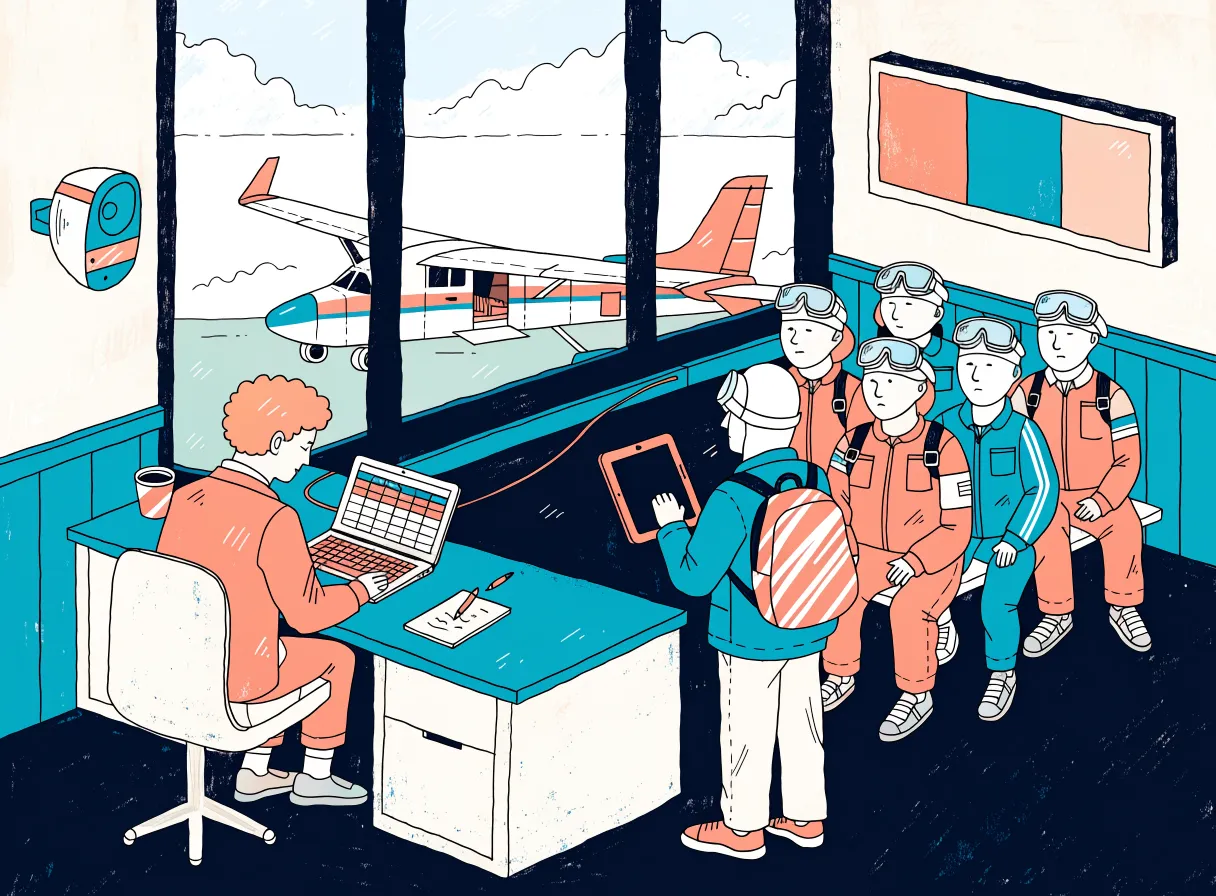
From the weather check to the cash count.
A guest's day has six stations, four of them run in the manifest system. Each entry leads to the matching view. The times are an example, the steps are real.
on this pageon another page
All loads of the day on one screen.
In the morning, the load planner creates the loads including fuel stops and records who is on the team today. In the cockpit, each load is then a card with time, aircraft, occupancy and weight.
Simplified view with sample data
Fixed sequence
Planning, Boarding, TAKE OFF, Landed. A load only takes off once the previous one has landed. TAKE OFF and Landed trigger after three seconds, a second click cancels.
Forecast instead of planned time
Once a pilot or aircraft has at least 8 flights of its own, the planned time “11:40” is replaced by the forecast “≈11:58”. It learns from your flight and ground times of the last 120 days and changes no data.
Seats and weight
Occupancy with tandem pairs and camera flyers, next to it the total weight. If a guest is heavier than the tandem instructor's limit, the system warns you.
Tandem instructor suggestion
At the top is whoever has the fewest assignments today; in a tie, the day plan applies. You swap guests, tandem instructors and pairs by dragging.
Call at the push of a button
5, 10, 15 minutes and “Now”, in German, English or Dutch. Plus German quick announcements such as “Jumpers in 2 minutes” or “Fuel stop”.
Color dot by the name
Nervous, VIP, Watch out, Birthday or Repeat jumper. Set at the manifest desk, visible in the cockpit, at the staff terminal and as a color bar on the TV.
One click on “Landed” replaces the evening at the desk.
What is otherwise typed up from a notepad in the evening, the system books at landing. That is why voucher, fee and media access belong to the same process.
- Guests count as jumpedGuest list and staff terminal count them as jumped, the display in the café shows the load as landed.
- Vouchers redeemedWith the jump date, just as accounting needs it.
- Fees bookedFor tandem instructor and camera, according to their pay model, including the excess-weight surcharge for the tandem instructor.
- Media access per guest Every guest who has jumped gets their own media page with a personal code, even without booked media.
- Entry in the flight logTake-off and landing time go into the loads archive, for checking against the charter invoice.
- Plan shifts alongIf a fuel stop follows, it moves to the actual landing time, and the later loads move with it.
Five steps on the tablet. No paper pile.
The guest checks in themselves. If they checked in online, their details are already there and they only check them. Before signing, they see the offer for video and photos. Afterwards they appear as checked in in the cockpit and guest list.
Tap a step to see it on the tablet.
Tap the guest standing in front of you.
Choose an upgrade package – or just continue.
💳 Upgrades can be paid right away in cash or by card.
Continue to the waiver →Waiver signed.
📋 Please take this tablet to the manifest desk – they will take it from there.
Simplified view with sample data
Documented and traceable
For every signature, the system stores the waiver text with a fingerprint (SHA-256), time, IP address, device and a note that it was scrolled to the end. Plus a PDF whose fingerprint is stored as well.
3f9a51c0…e71b2c4dSecond signature after the jump
A second iPad shows all guests of landed loads who have not yet confirmed. The guest signs and can object to the advertising use of their footage with a checkbox. This too produces a PDF with a fingerprint.
You provide the waiver text yourself and have it reviewed. The software files every signature completely and traceably.
Call at the push of a button instead of shouting across the hangar.
The calls play with a chime over the speakers on the manifest PC. The TV in the café shows everyone which load is boarding, airborne or landed.
- Ready-made recordings for loads 1 to 25, each at 15, 10, 5 minutes and “Now”. Plus German quick announcements such as “Jumpers in 2 minutes”.
- From the terminal authorized staff trigger calls with their PIN, the cockpit plays them.
What you need for this: Today, an ElevenLabs account still has to be set up for the calls, even though the recordings are ready. It generates free-text and name announcements live, alternatively Microsoft Azure, each with your own account.
Simplified view with sample data
BOARDING is set by the manifest with a button. The load stays planned and only switches to AIRBORNE at take-off. The display runs on any screen with a browser and reloads every 30 seconds, with 11 color themes and 7 layouts.
The voucher code is the key.
Nobody needs a customer account. The guest signs in to the booking portal with their code, enters their details, chooses a load and reschedules themselves later. That saves you many phone calls. The voucher shop sells the codes around the clock, one per jumper.
- Video or photos before the jump. In the portal the guest sees matching packages with the extra charge and pays online. Their booking stays as it is. More about media sales
- Only loads that fit. The system checks the minimum and maximum weight per person. With the weight check enabled, also the total weight in the load and the limit for the two heaviest jumpers, based on the aircraft's values.
- Rebook, cancel, jump together. Cancel up to 2 days, rebook up to 1 day in advance; you set both deadlines. The voucher stays valid. Fellow jumpers link up by code, up to 10 people.
Simplified view with sample data
When the weather turns: one cancellation, one process.
You cancel the day, the system does the rest. You exclude individual guests with a checkbox.
Cancellation with a template
Whether to fly is decided by a person. Then you select the guests and a template: weather the day before, in the morning or at short notice, airspace or technical.
Email and SMS
All selected guests are notified, optionally with a fixed alternative date. The link opens the portal right on that day.
Voucher valid again
Depending on the template, the booking is canceled, the voucher is active again and the seat is free.
SMS requires its own account with an SMS provider. An email and SMS log shows what went out to whom, for SMS with a delivery report. You resend emails with one click.
The AI writes the draft. Your team sends it.
Inquiries via the contact form become numbered tickets that the guest follows in a portal. The software places vouchers, bookings and earlier inquiries next to them and suggests a reply. A person checks and sends.
Hi, our jump on Sunday was canceled because of wind. Can my friend Mia and I jump together on 17 October? We both have a voucher.
K3TP-8WQD-2LME · Tandem + Photos
Bought by Frank Vogt (buyer) · jumper: Jana
Booking 04.10., 14:00 · canceled due to weather
Online check-in done · no previous tickets
Hi Jana,
sorry it didn't work out on Sunday. Your voucher is active again. In the booking portal you can pick a new date right away with your code, 17 October included if there are still seats available.
So we can plan you together, enter Mia's voucher code as your jump partner in the portal.
Blue skies!
Your team at Skydive Nordlicht
Simplified view with sample data
The ticket shows who is currently working on it. So the team sees who is already replying.
A knowledge base learns from your team's replies. Someone should look through it now and then.
At our dropzone, Claude runs. OpenAI and Gemini are prepared as alternatives. You pay for key and usage at the provider.
For the draft, the guest's ticket data is sent to the chosen AI provider. For this you conclude a data processing agreement with the provider.
The team's settlement is created while jumping.
Every jump becomes a fee line. Surcharge and post-sale bonus follow from the booked package. At the end of the month you create the credit notes with one click, instead of counting tally sheets.
- Tandem instructor5 / 4
- Camera1 / 2
- Packer2 / 2
- Pilot1 / 1
- Manifest1 / 1
Confirmed, declined or tentative. The reminder comes two days before.
- Tandem + HC VideoLoad 1 · base fee + handcam surcharge
- Tandem skydive (outside camera flyer)Load 2 · base fee, the camera flyer does the filming
- Post-sale + photoGuest from load 1 adds photos · surcharge + bonus
Simplified view with sample data
For tandem instructors a base fee plus a surcharge per camera package, or a flat rate. With an outside camera, the camera flyer gets the camera share. Plus packing jobs and the day rate of the jump operations manager.
If a guest buys video or photos later, the system books the bonus along with it. If a recording is marked as defective, it shows the deduction first and corrects the fee line.
As a PDF with a sequential number and the right tax type: 19% VAT, small business, reverse charge or non-EU. Plus a transfer list for SEPA import into your banking software.
The till can be reconciled in the evening. The accountant gets a file.
Cash payments on site go straight into the cash book. An overview shows which sold vouchers are still open and what they are worth. They are redeemed with the jump date, not the purchase date.
- Cash book: Opening balance, sales, refund, withdrawal, deposit and correction, with a closing balance per day.
- Export: Invoices and credit notes in one place, plus a CSV export for the accountant.
- Loads archive: Every load with take-off, landing, pilot and aircraft, for cross-checking the charter invoice.
The desk creates spontaneous guests as walk-ins and takes cash with a cash book entry or card at the terminal. Online orders automatically receive an invoice via the connected invoicing plugin. The cash book is an operational cash book, not a certified cash register.
What operators want to know about the manifest
What does it run on?
The manifest system is an extension for WordPress with WooCommerce. Website, shop, vouchers and manifest live in one installation with a shared database. The editing stations are connected via an interface. Payments run through Mollie and PayPal. Invoices, voucher PDFs and the partner program run through additional, partly paid WooCommerce extensions. Which ones you need, we clarify during setup.
Can we switch parts off?
Yes. The core is always included; you switch further modules on or off in the settings. A disabled module disappears from the menu, and its background tasks stop.
What devices do we need at the desk?
A PC with a browser for the cockpit and speakers attached for the announcements. An iPad for check-in, ideally a second one for the confirmation after the jump and one on the wall as the staff terminal. The display for guests runs on a screen with a browser.
Is the digital waiver legally watertight?
No software can promise that. The system documents every signature traceably: text and PDF with fingerprint (SHA-256), time, device, IP address and a note that the text was scrolled to the end. You provide the waiver text yourself and have it reviewed.
Can guests enter their details themselves in advance?
Yes. In the booking portal, the guest enters name, contact, date of birth, weight and address before choosing a date. On the jump day, the check-in iPad finds these details and the guest only checks them. Two days before the booking, a reminder goes out. If details are still missing, it asks the buyer to check in online.
Can groups book themselves?
Yes. In the booking checkout, the buyer chooses the number, date and load, then the packages. If one load is not enough, the checkout suggests several loads in quick succession. If that is not possible on the desired day, it names the next day in the coming 90 days with enough free seats for everyone. After payment, a booking is created for each jumper.
What happens when a different aircraft comes?
The “Change capacity” tool adjusts the seats of the bookable dates for a period and creates new ones if needed. It first makes a proposal for how already booked guests are distributed, keeps groups together and respects the weight limits. After your approval, you can notify moved guests, and everything can be undone.
Do the announcements sound like our dropzone?
For the load calls there are ready-made recordings in German, English and Dutch. Which voice and which texts your dropzone gets, we clarify during setup. Today, an ElevenLabs account still has to be set up for the calls. Free-text and name announcements need your own account with ElevenLabs or Microsoft Azure.
What does the switch look like?
Best in winter, between October and March. A setup area checks the installation and creates missing pages, tables, roles and products at the push of a button. Aircraft, packages, prices and company details you enter yourself.
What it is not built for
So you know early on whether it fits:
- Several aircraft at the same time. A load only takes off once the previous one has landed. If a different aircraft comes for a few days, the system adjusts the seats of the bookable dates accordingly.
- Sport jumpers who put themselves on loads. The system is built for tandem operations.
- A waiting list for fully booked days does not exist.
- Time tracking and pilot settlement. At landing, tandem instructors and camera flyers are booked, pilots are not.
- Operation without internet. Everything runs in the browser.
- Other languages in the interface. Today everything is in German. Only the load calls are also available in English and Dutch.
Click through a jump day yourself.
On request we set up your own demonstration of the fictional dropzone “Skydive Nordlicht”. There, load 1 has landed and load 2 is airborne. You click Boarding, Take off and Landed yourself, check a guest in on the tablet and see what is created at landing. Payments are only simulated.
- 01The cockpit
- 02Check-in on the iPad
- 03Landing, media is created
- 04The guest's media page
- 05Post-sale with a test card
- 06Reminder and offer
- 07Book a date as a guest
- 08Buy a voucher
- 09Answer inquiries
- 10Staff portal and settlement
- 11Partner portal
- 12Cash register and accounting
- 13Display for the café
- 14Settings